MP3 Tag Express

The Quickest and Easiest Way to Tag and Rename Multiple MP3 Files

A Powerful MP3 Tag Editor for DJs and Audio Collectors

MP3 Tag Express is a high-performance MP3 tag editor that enables you to batch edit tags and rename audio files across multiple folders, turning hours of work into minutes. It's the perfect productivity tool for DJs, audio collectors, and audio professionals. It's also very non-technical and straightforward so that the average person can also make great use of it.

  • Bulk track and file re-numbering
  • Rename files from tags (Artist, Album, Title, and Track Number)
  • Trim and substitute words and characters intelligently
  • Replace multiple words at the same time using a saved dictionary
  • Generate tags from file and / or folder names
  • Bulk copy and paste from and to different tags
  • Insert and bulk-paste cover art
  • Supports MP3, M4A, M4B, WMA, and FLAC audio formats
  • Make MP3 files louder or quieter (permanent gain adjust)
  • Multi-level Undo safety net
  • In-depth video tutorial available
  • Export tag and file data to spreadsheets
  • Rip audio discs to high-quality MP3 files
  • Batch assign ISRC codes (International Standard Recording Code)
Hold your mouse over the picture to pause the slide-show. Use the dots or arrows to navigate through the pictures.

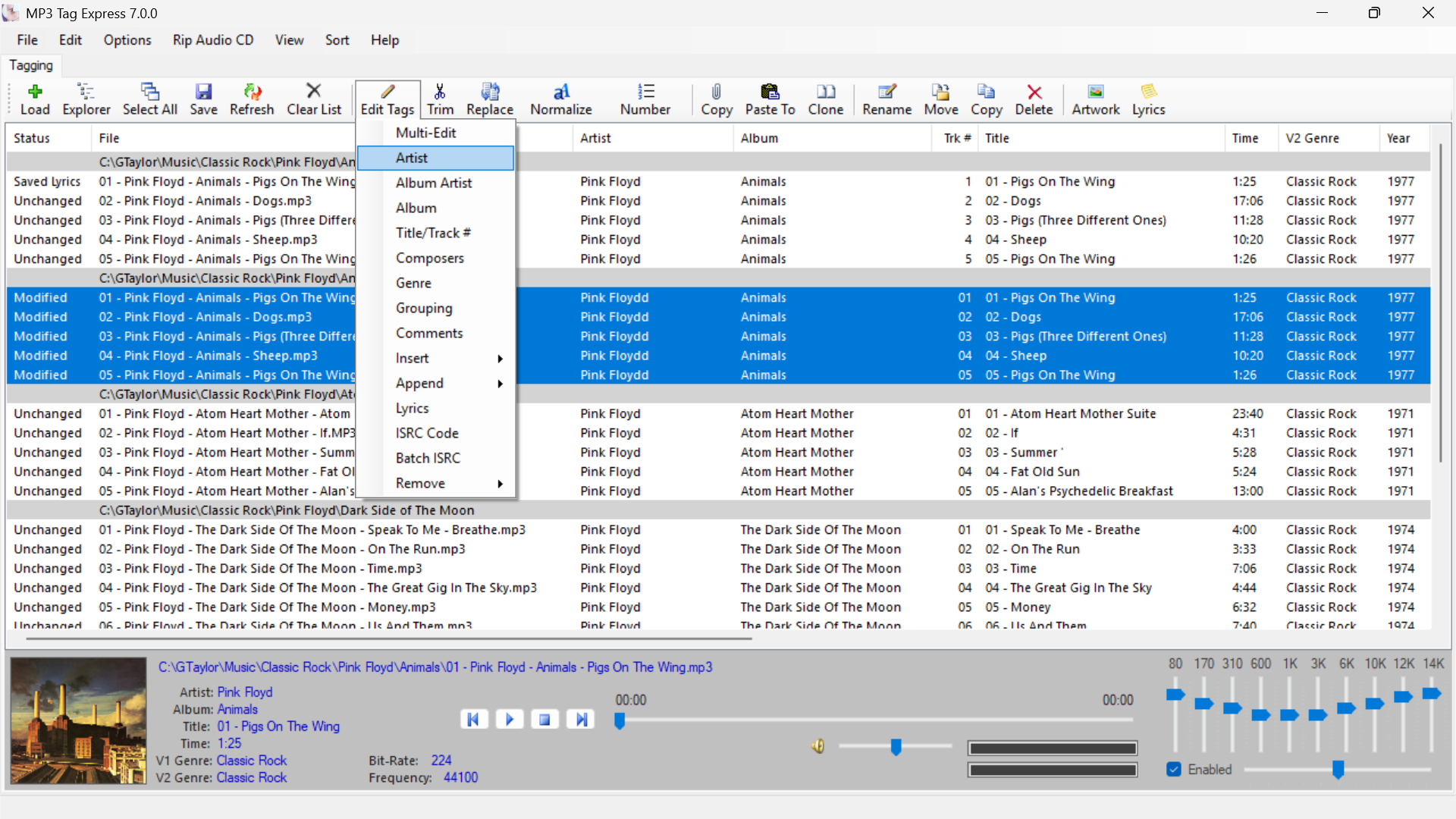
    • Powerful Batch Tag Editing

      Powerful Multi-File Batch Tag Editing Across Folders

      Edit Artist, Album, Title, Genre and other tags for multiple files and folders at the same time

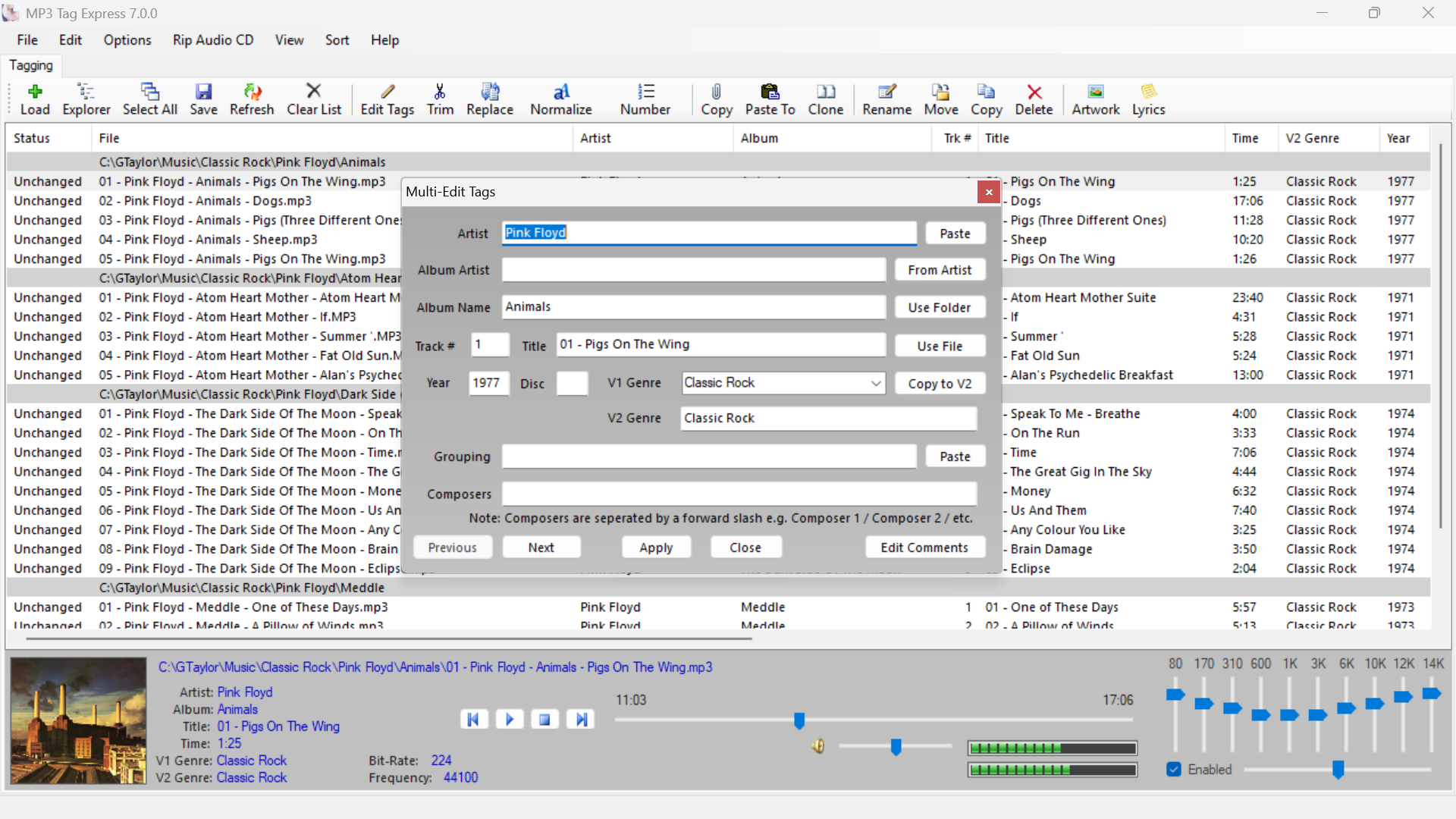
    • Edit the Most Common Tags All in One Place

      Edit the Most Common Tags All in One Place

      Use "Speed-Buttons" to easily populate the most common tags

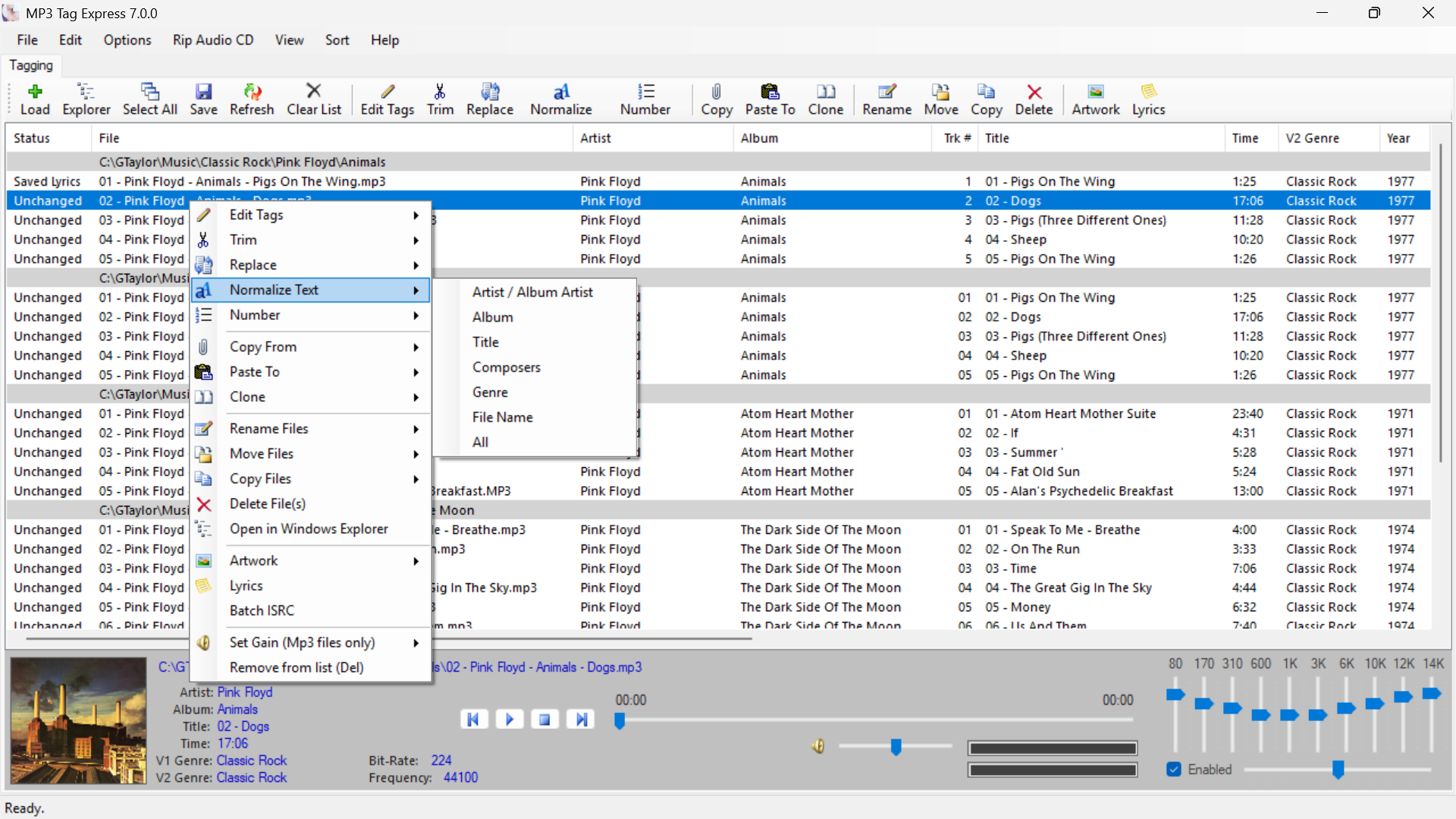
    • Normalize Text across multiple files and folders

      Normalize Text across Multiple Files and Folders All at the Same Time

      e.g. Turn "ARTIST NAME" into "Artist Name" without the need for manual editing

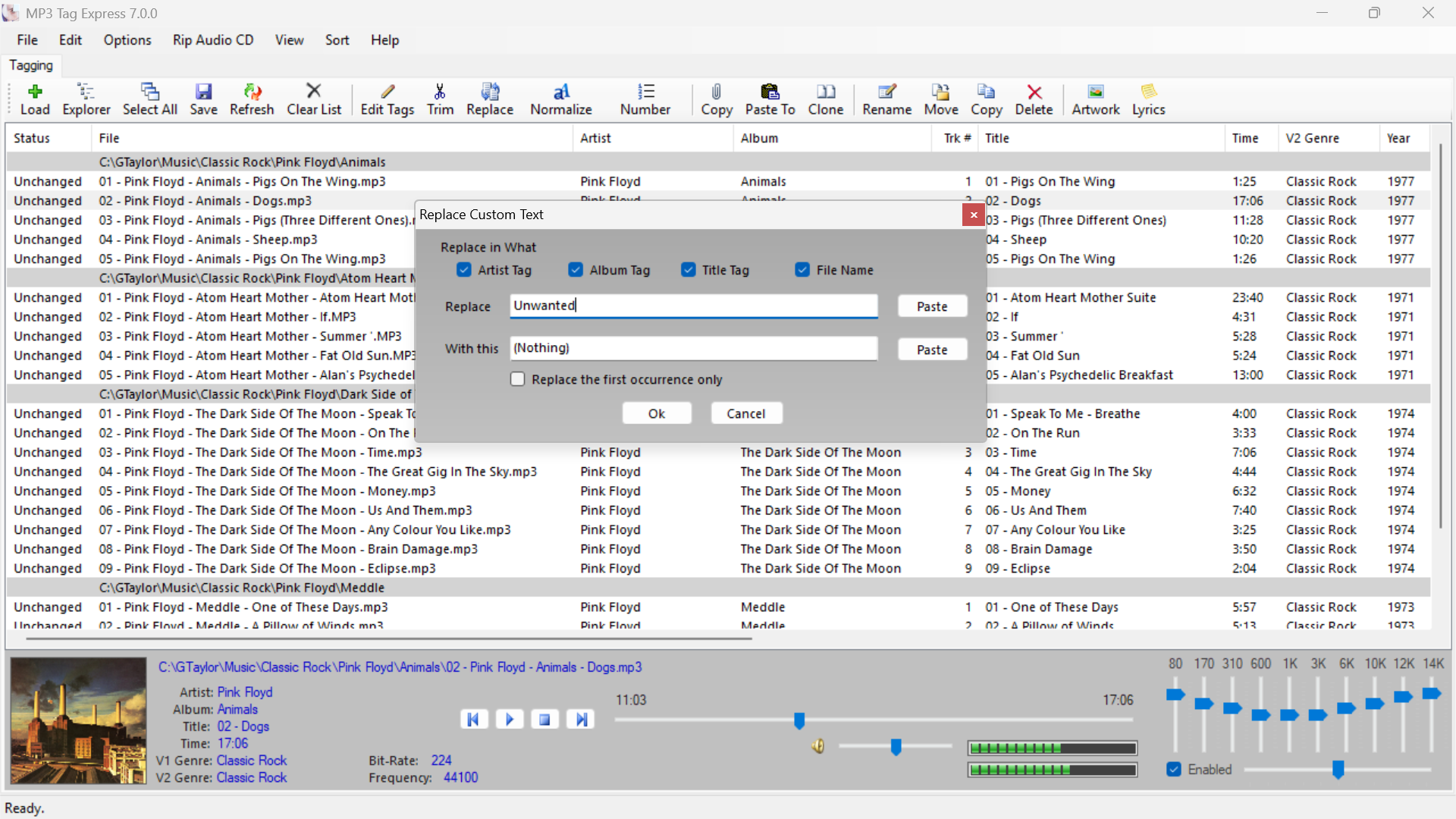
    • Replace Custom Text

      Easily Replace Words and Phrases

      Easily substitute text with other text or eliminate it entirely

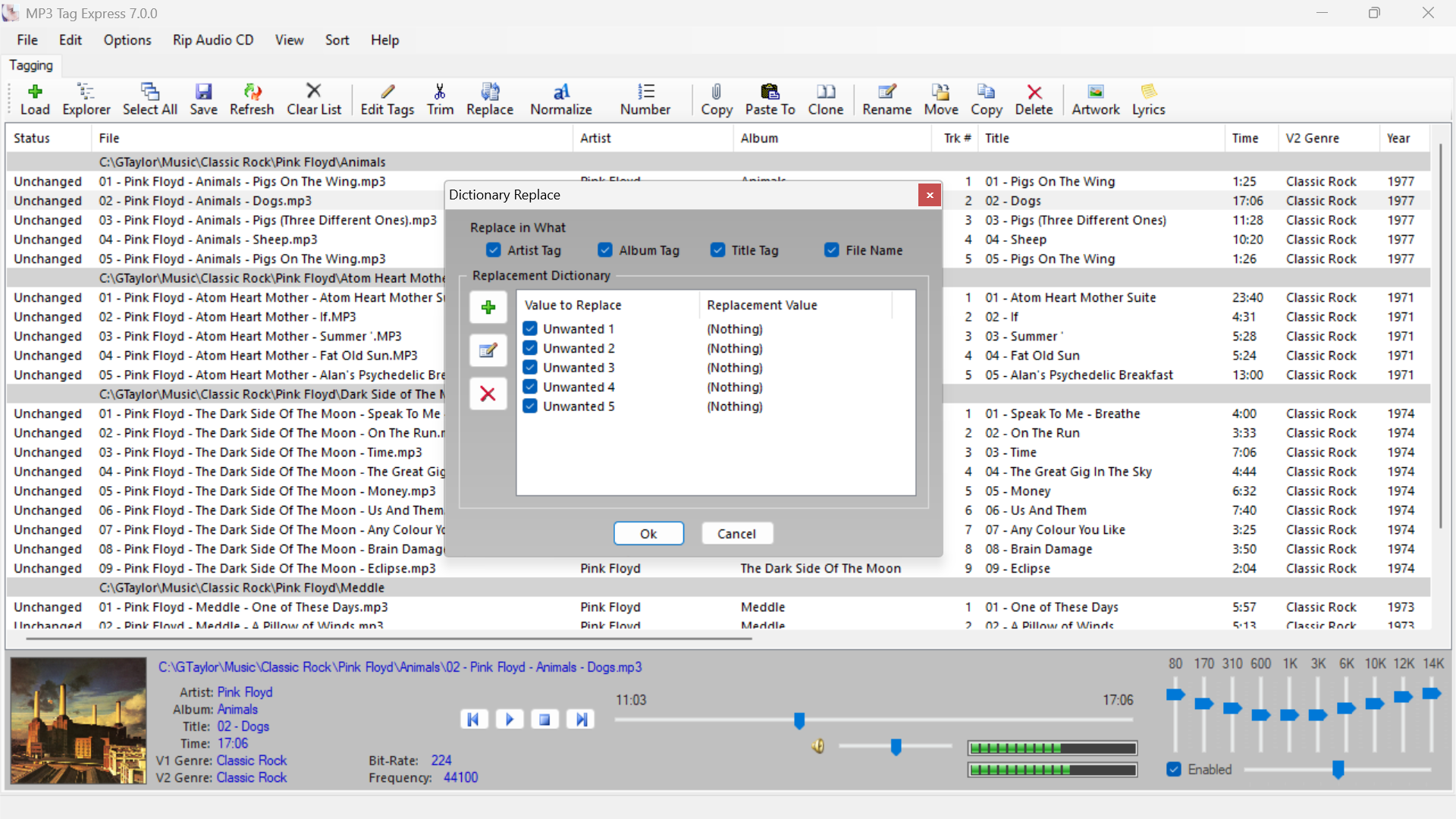
    • Replace Custom Text using a Dictionary of Terms

      Replace Custom Text using a Dictionary of Terms

      Store the most common things to replace without having to re-enter them every time

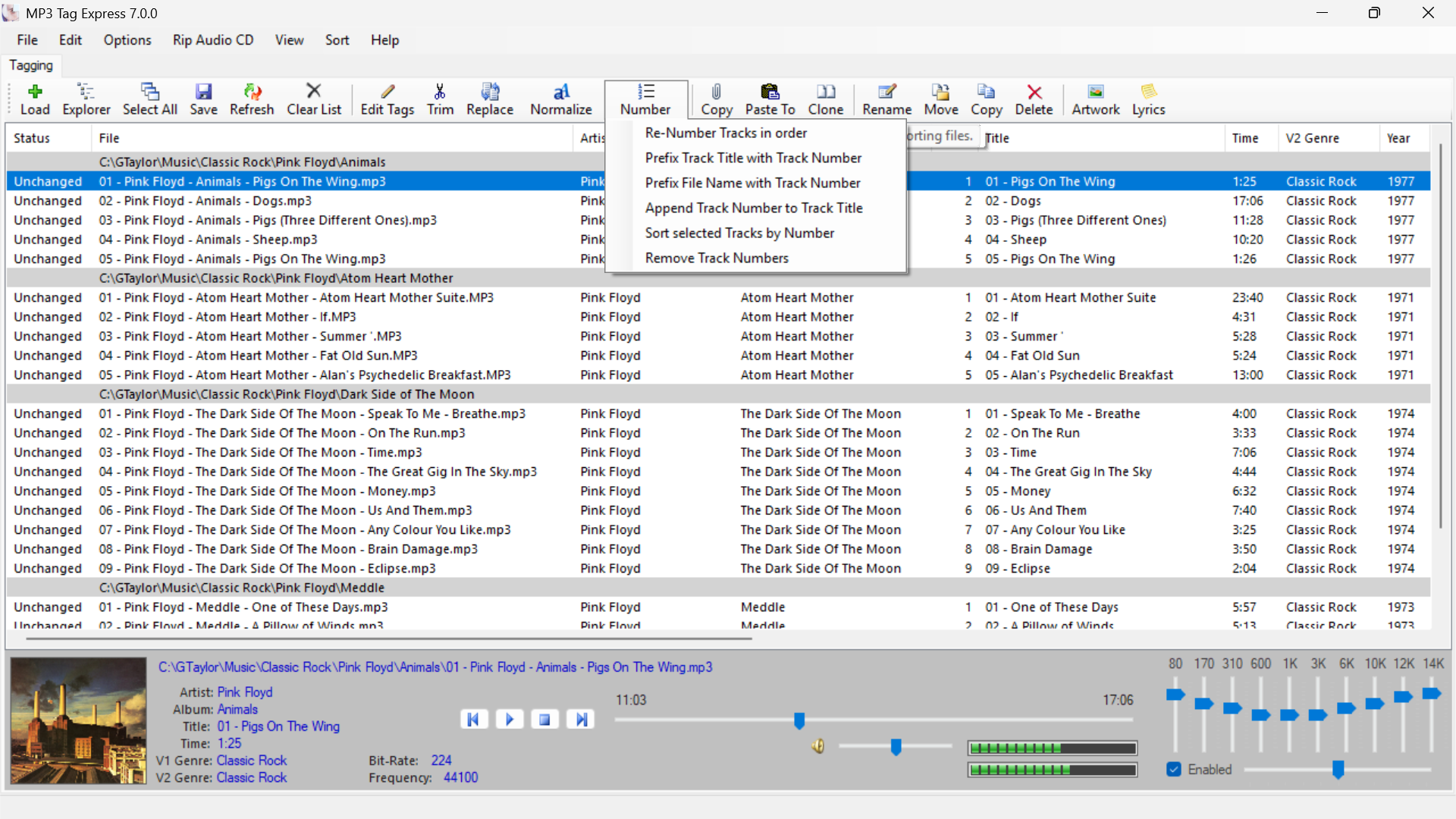
    • Various Re-Numbering Functions

      Various Re-Numbering Functions

      The most commonly used re-numbering functions are available to keep your audio files in the correct order

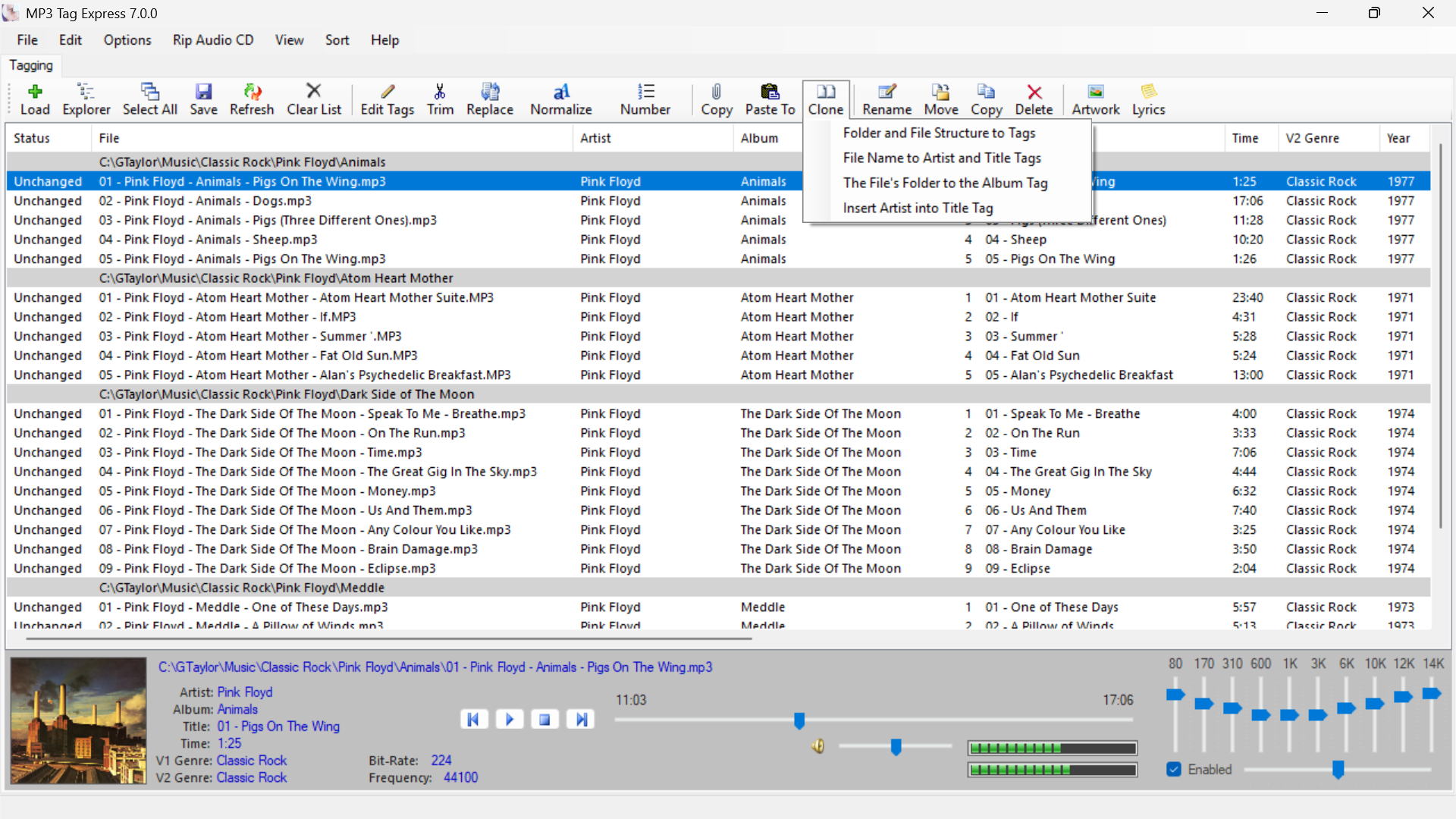
    • Folder and File Cloning to Tags

      Folder and File Cloning to Tags

      Automate entering the most common tags from folder and file names

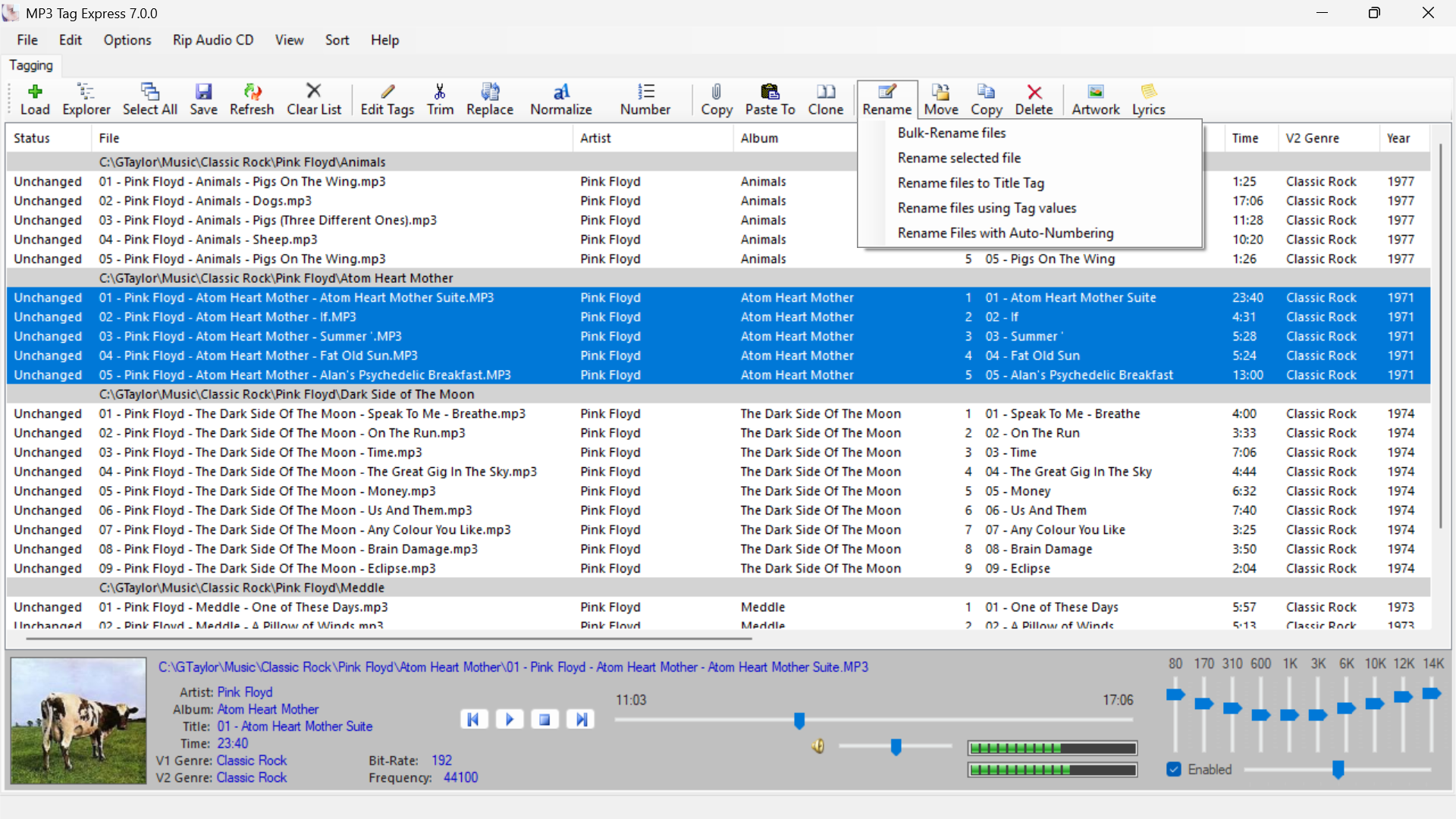
    • Bulk-Rename Files

      Bulk-Rename Files with Ease

      Bulk-Rename files based on Title, Tags, or a Numbered Sequence

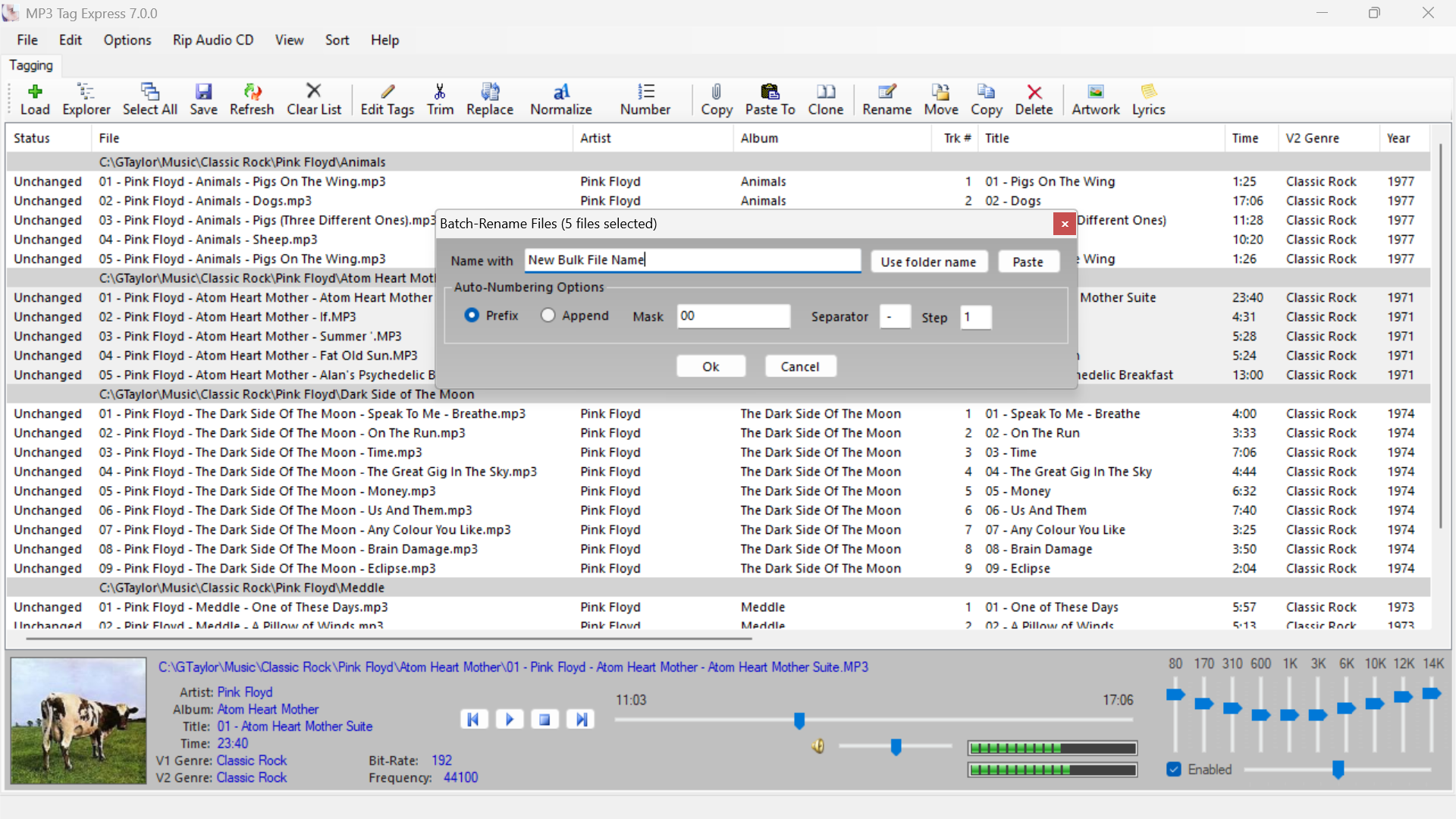
    • Batch-Rename Files

      Batch-Rename Files to a Numbered Sequence

      Batch-Rename Multiple Files across Folders using a Numbered Sequence

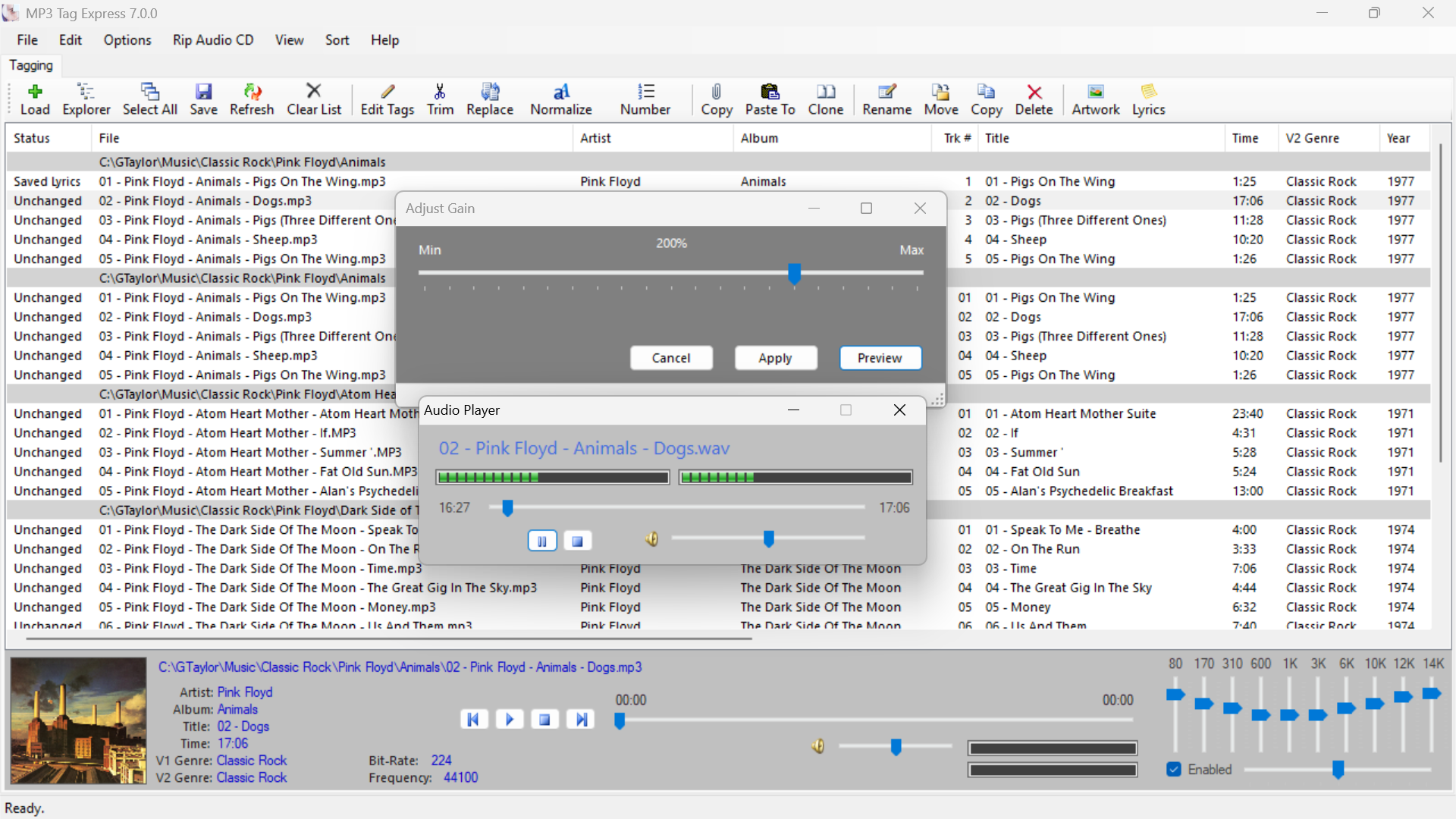
    • Permanently Make MP3 Files Louder or Quieter

      Permanently Make MP3 Files Louder or Quieter

      Adjust and preview the Gain on MP3 Files and make the volume level permanent

    • MP3 Tag Express tag editing interface

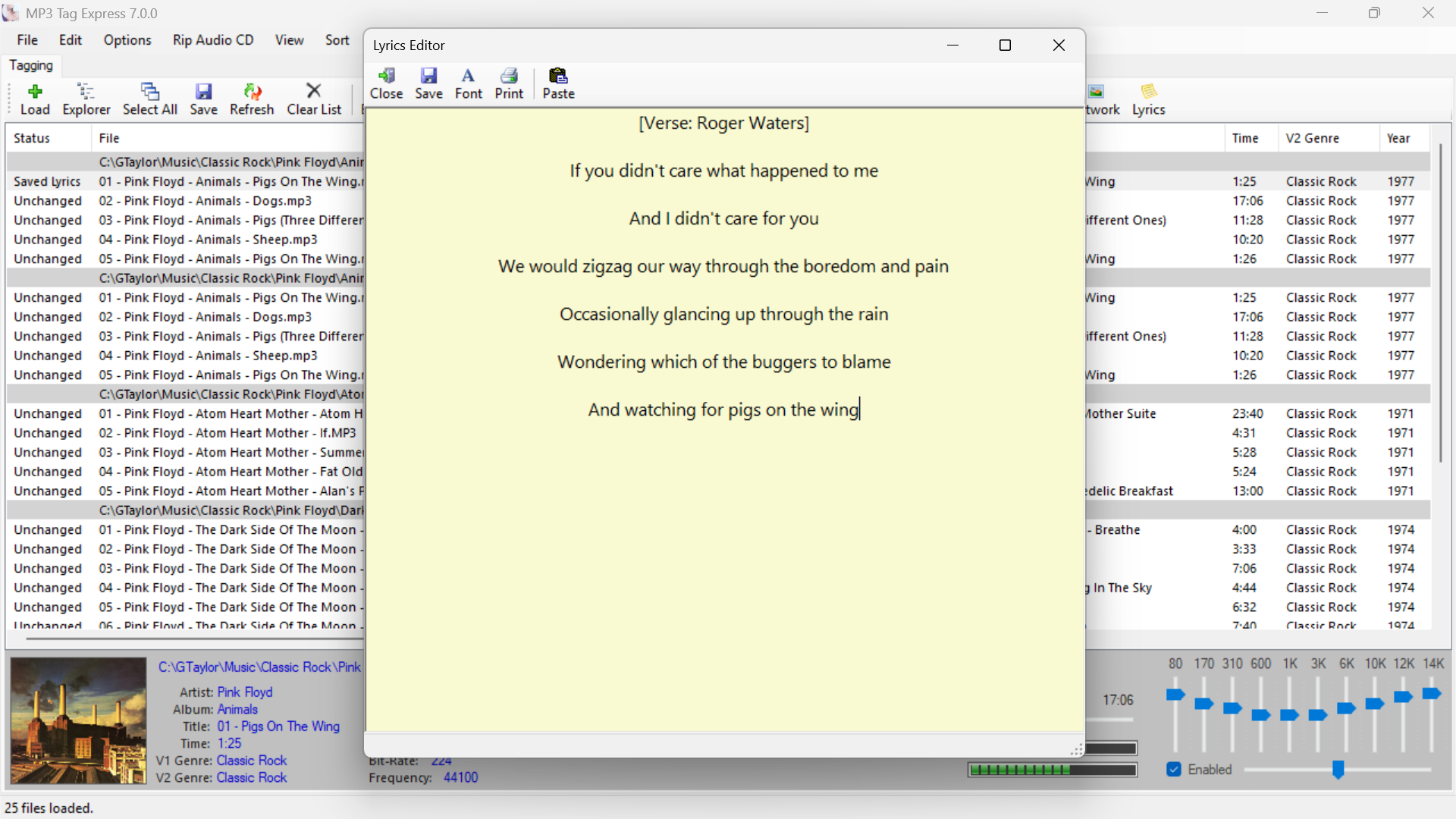
      Edit and Display Lyrics

      Add or edit lyrics and display them in a custom font of your choice

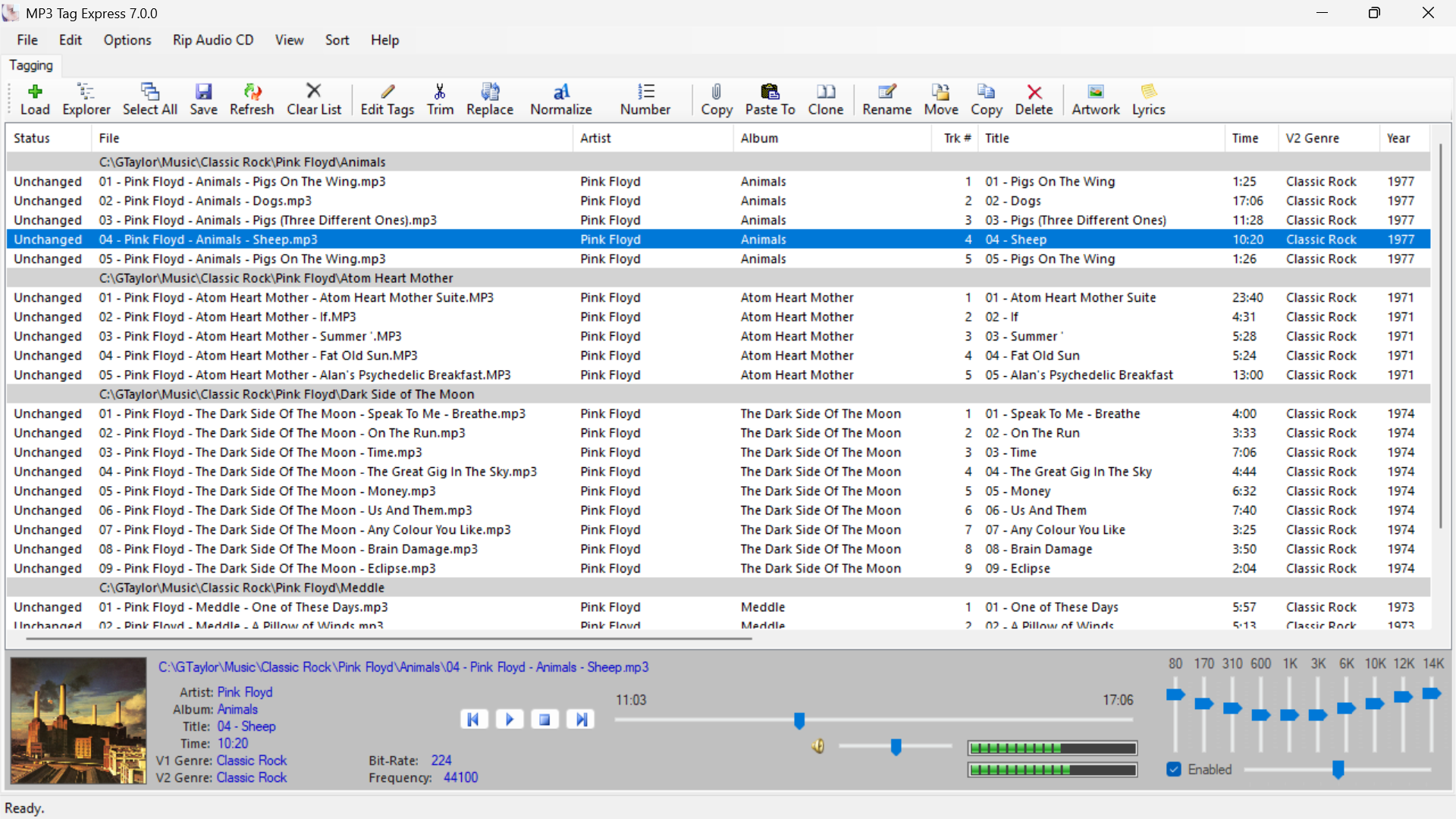
    • Built-in Audio Player

      Built-in Audio Player

      Play back your tracks in a built-in audio player that features an Equalizer to shape the sound

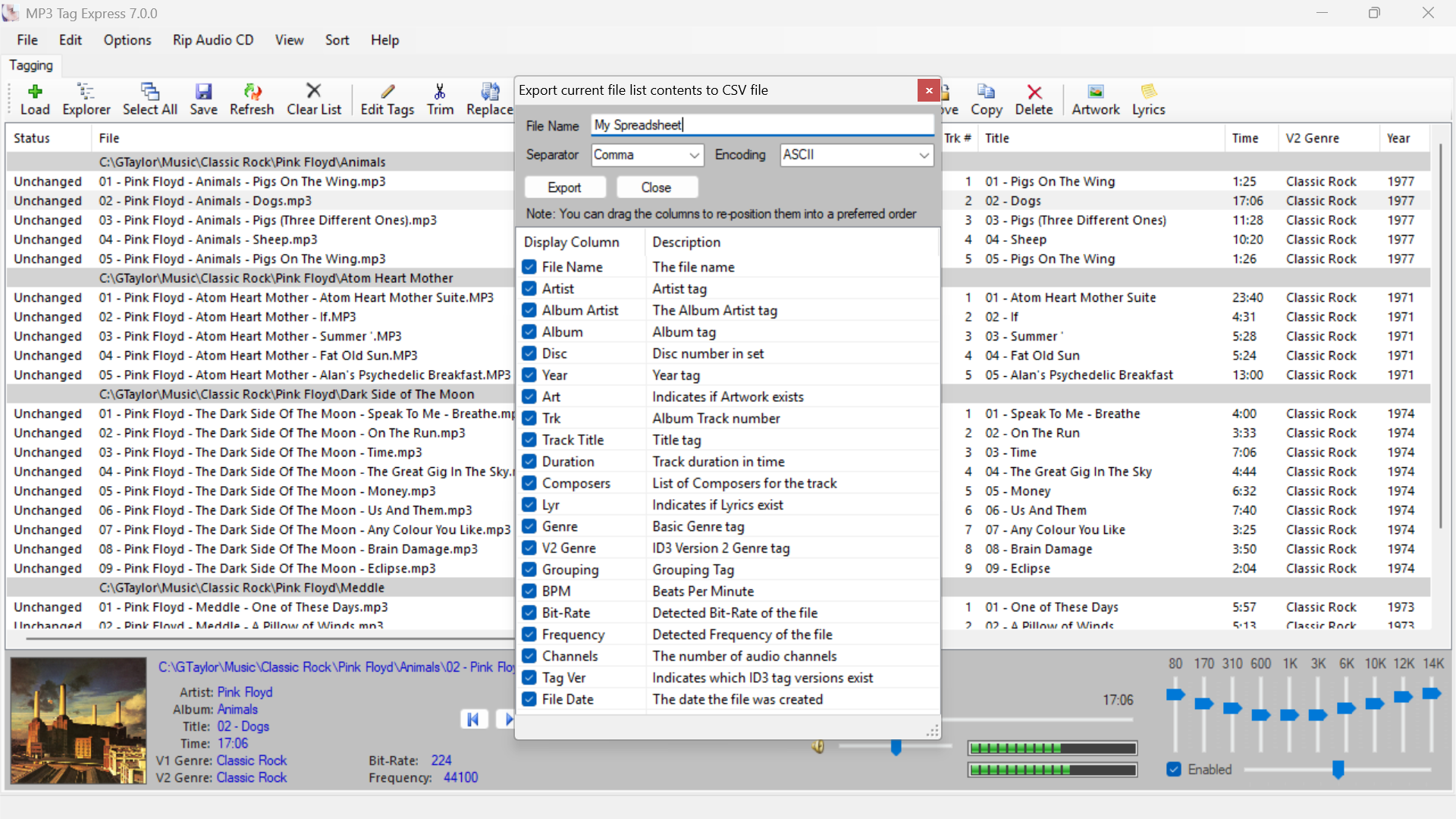
    • Export file list to a spreadsheet

      Export the current file list to a Spreadsheet

      Export desired file info to a CSV (spreadhseet) file with custom encoding

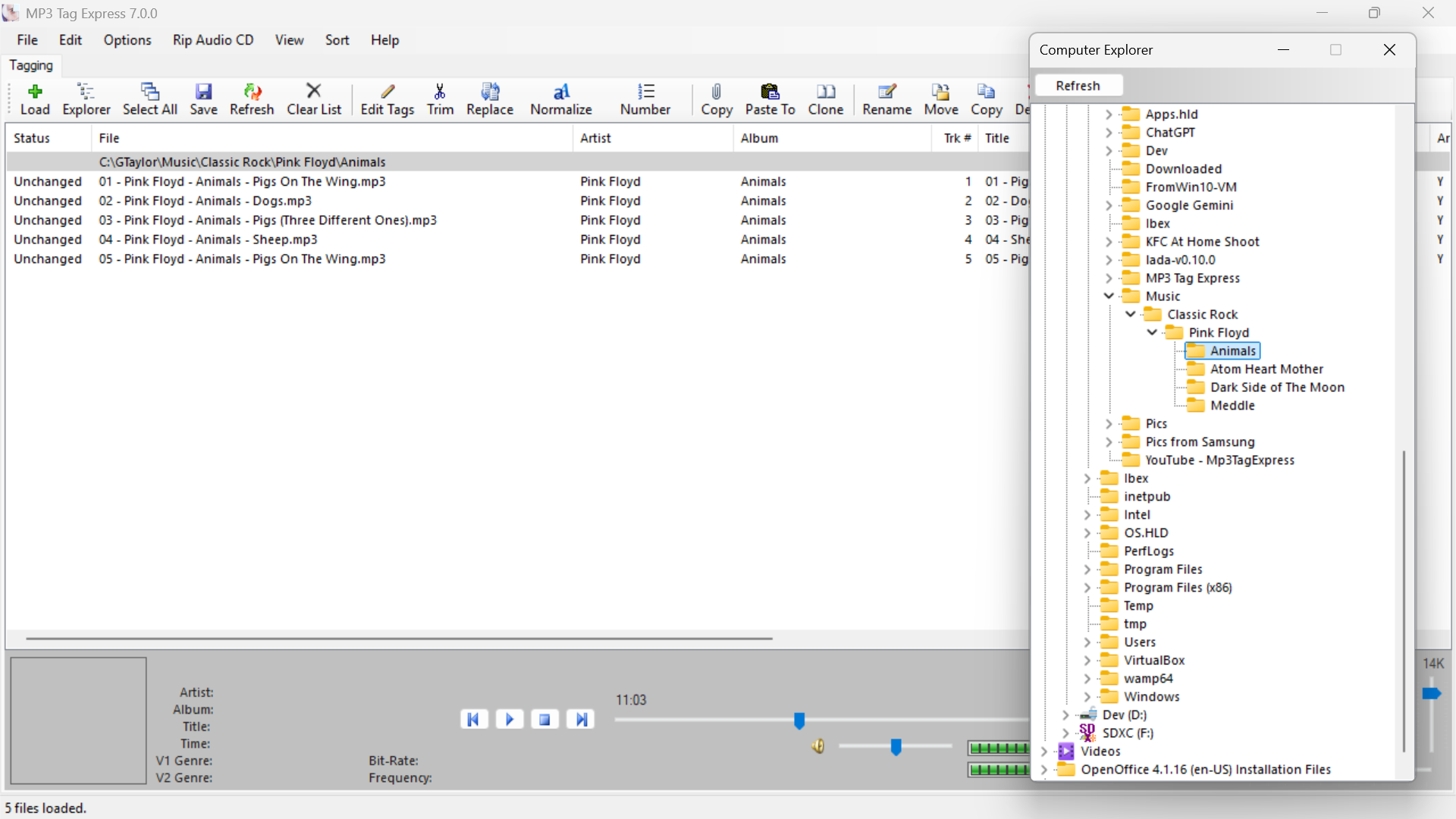
    • Built-in Tree-Style File Explorer

      Built-in Tree-Style File Explorer

      Easily walk your folders to load them individually without the need to drag-and-drop files

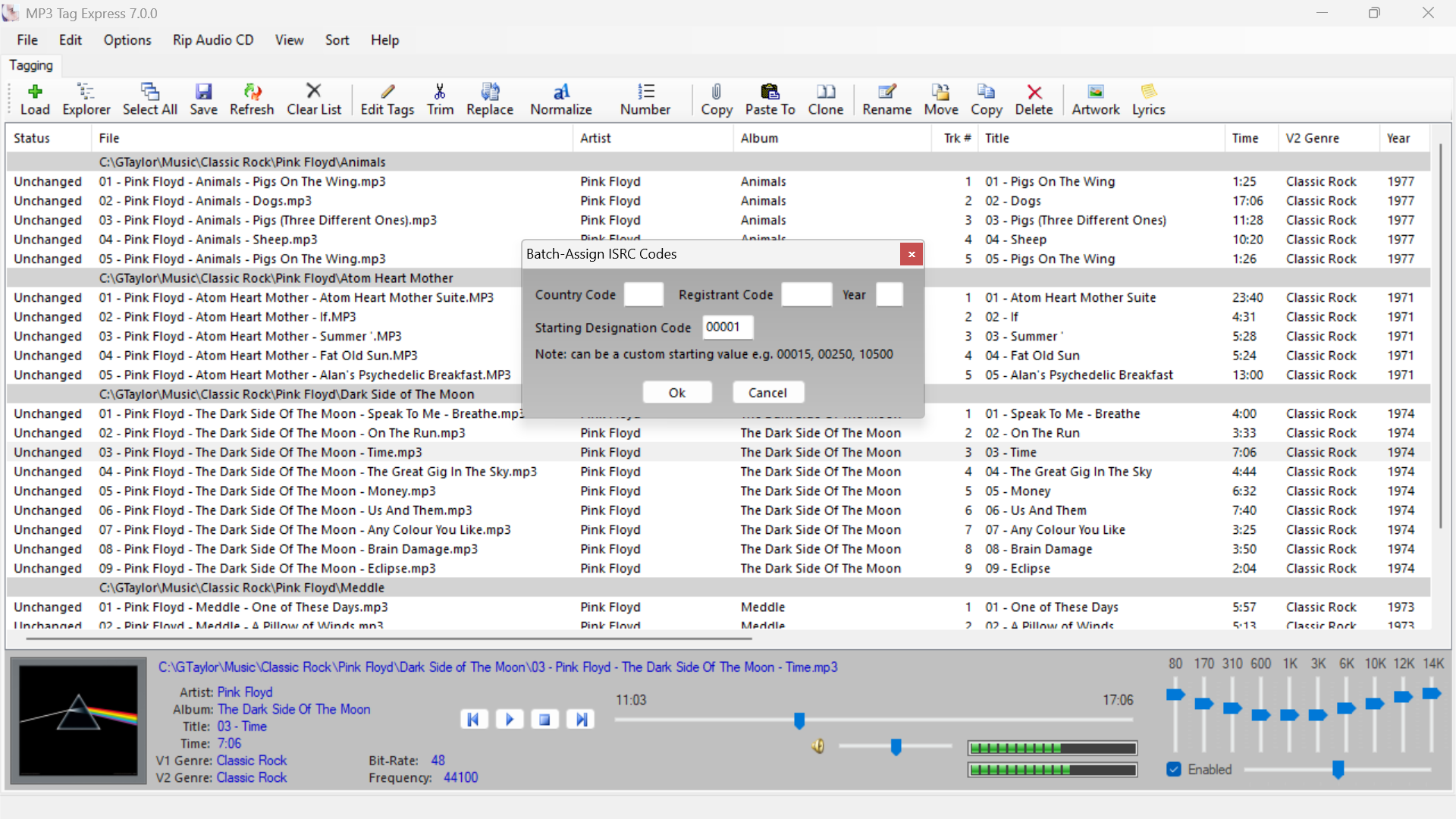
    • Batch ISRC Code Assignment

      Batch ISRC Code Assignment (MP3 Files Only)

      Batch-Assign ISRC (International Standard Recording Code) codes without having to enter the details one file at a time
    Simple and Intuitive Design

    All the functions in MP3 Tag Express are organised in a logical arrangement and grouped together to make the product as intuitive and simple as possible. You can accomplish more without having to learn complex audio tag editing software.

    Save Time and Effort

    MP3 Tag Express enables you to work across multiple folders at the same time using batch tag editing and batch file renaming. You can spend more time focusing on your audio collection by turning hours of work into minutes.

    Save Time and Effort

    We get back to our customers Fast, providing quality support for product issues or questions. We also strive to make software better by making better software based on feedback and suggestions provided by our customers.

    Great Value at a Great Price $19.95

    Buy Now using PayPal

    PayPal is an authorized payment handler for goods and services provided by mp3tagexpress.com

    The licence for the major version you purchase is issued for life and never expires. Minor version updates are provided at no additional charge.

    Your registration details will be sent to the email address you provide with your order. Orders are usually filled within minutes. If you don't receive your registration details within 30 minutes, please check your spam / junk mail folder. Otherwise, please allow up to 24 hours before contacting support.

    Refund policy: We will work with you to resolve any critical issues due to unforeseen deficiencies in the product. If a reasonable and workable solution cannot be provided, we will refund your purchase at your request. Refunds are limited to thirty (30) days after the purchase date.

    Contact Us

    Please use the form below to contact us for technical support or any other enquiries